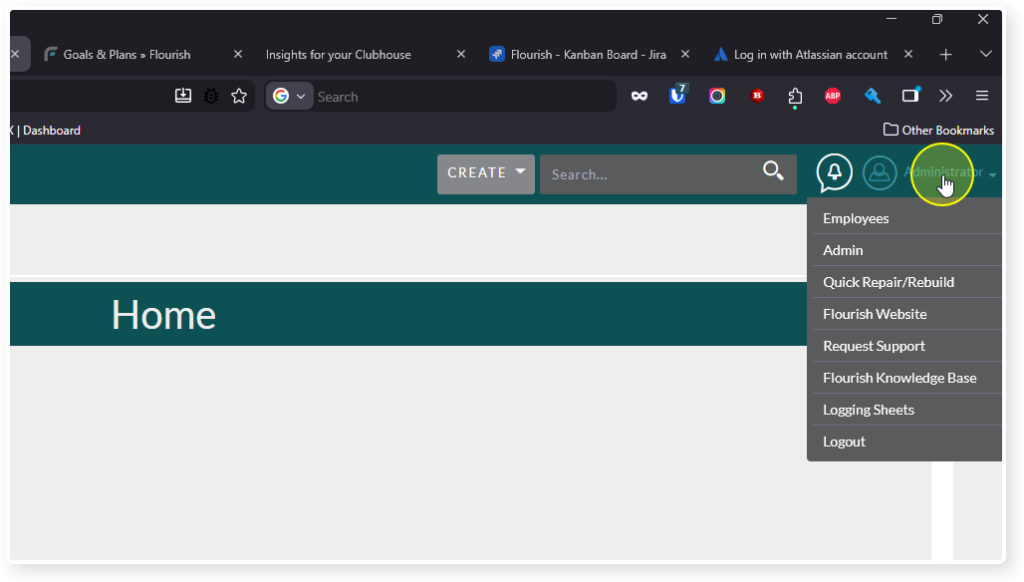
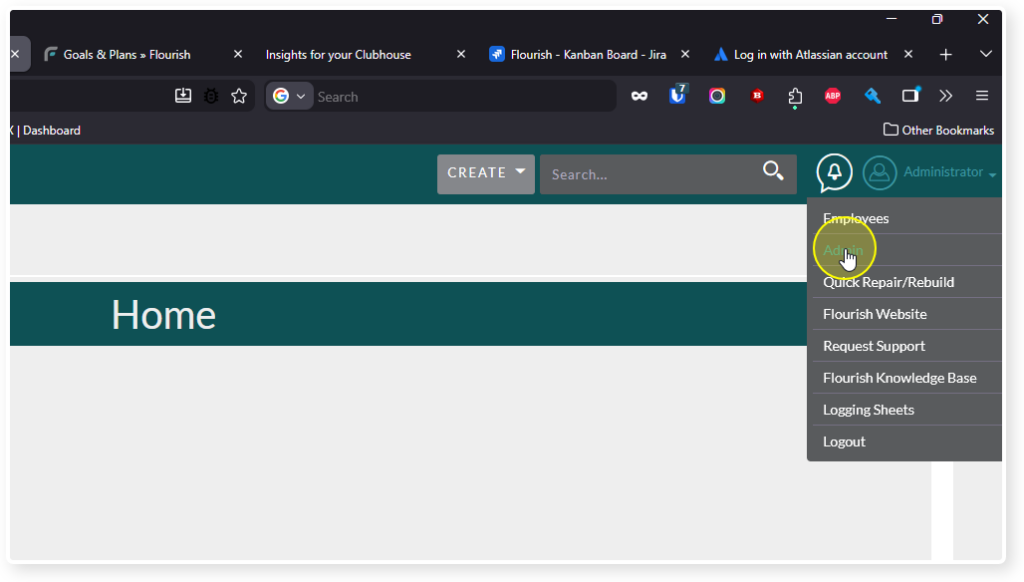
Navigate to the Admin Panel
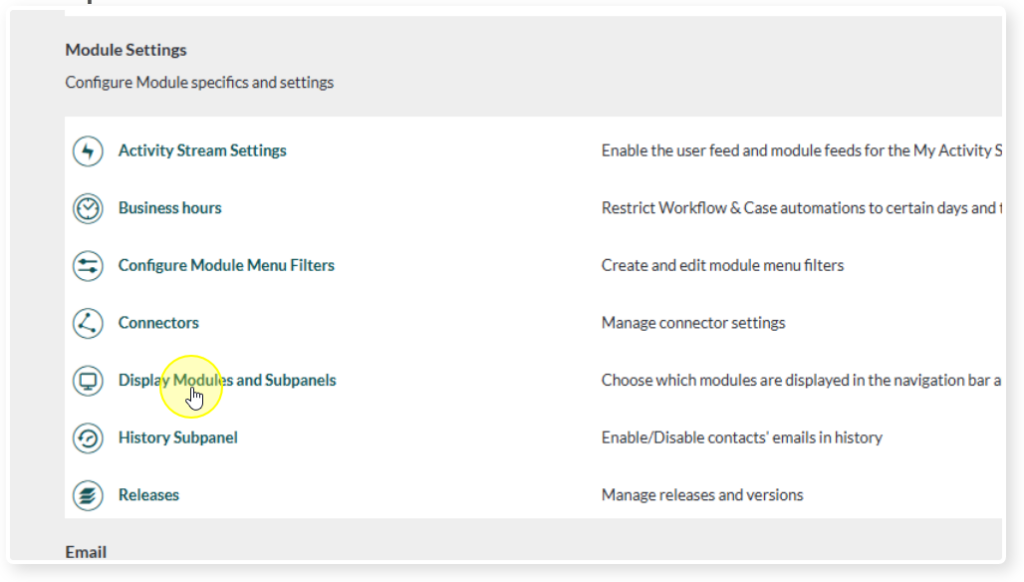
Scroll down to the Module Settings section and click Display Modules and Subpanels
Find the module you’re looking for in the Hidden Modules section
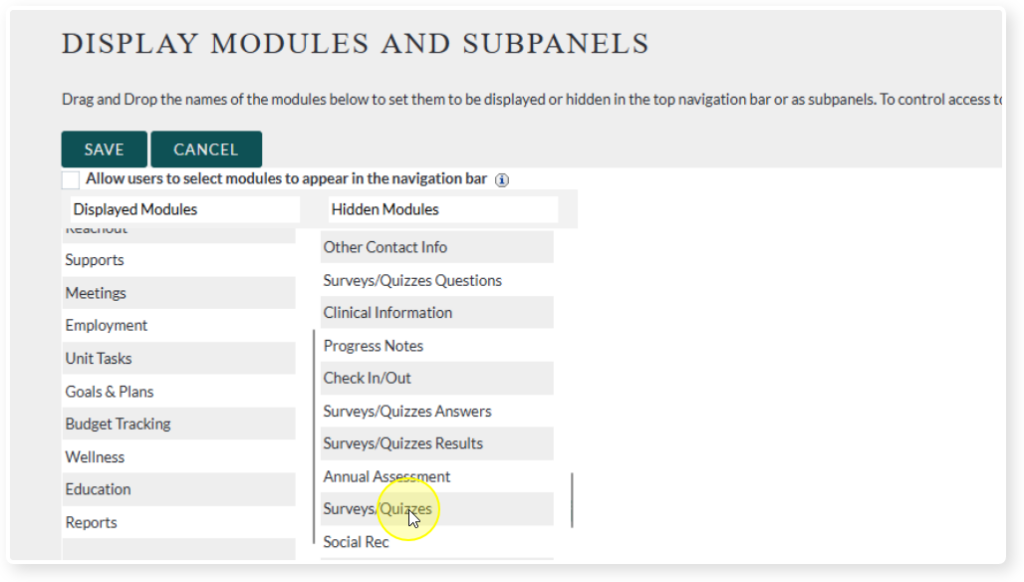
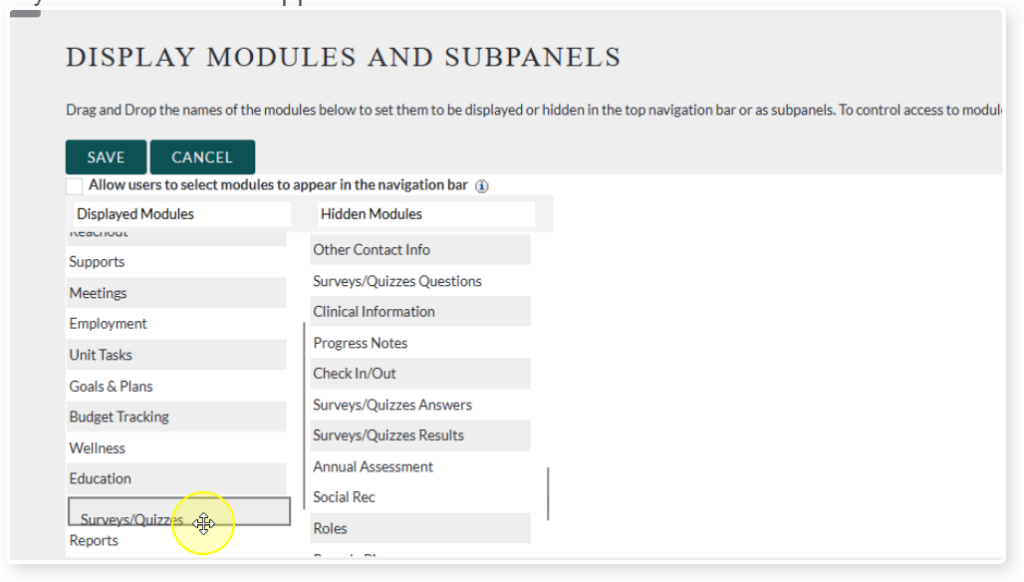
Drag it over to the Displayed Modules column and drop it in the position where you would like it to appear in the side menu
Click “SAVE”
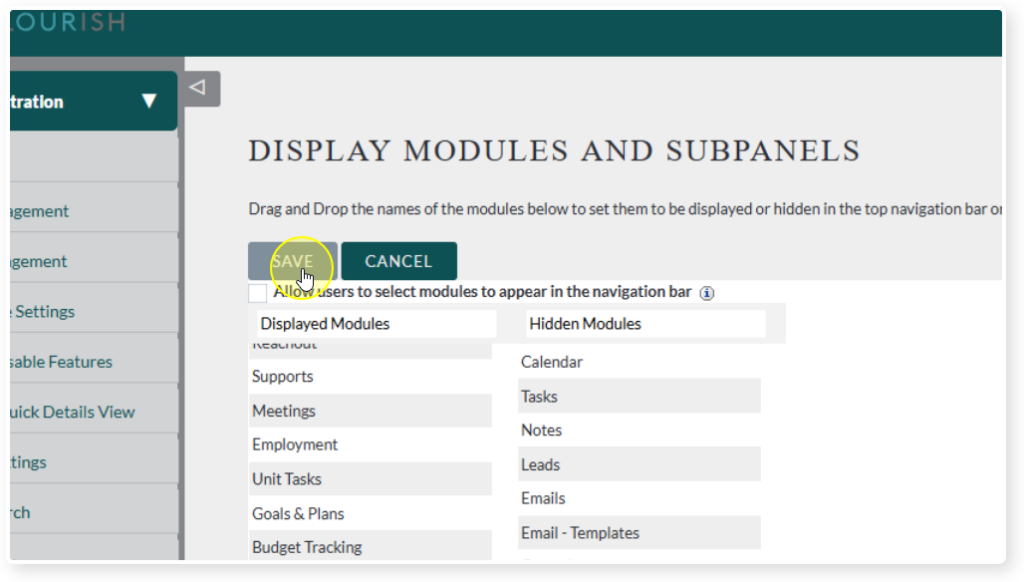
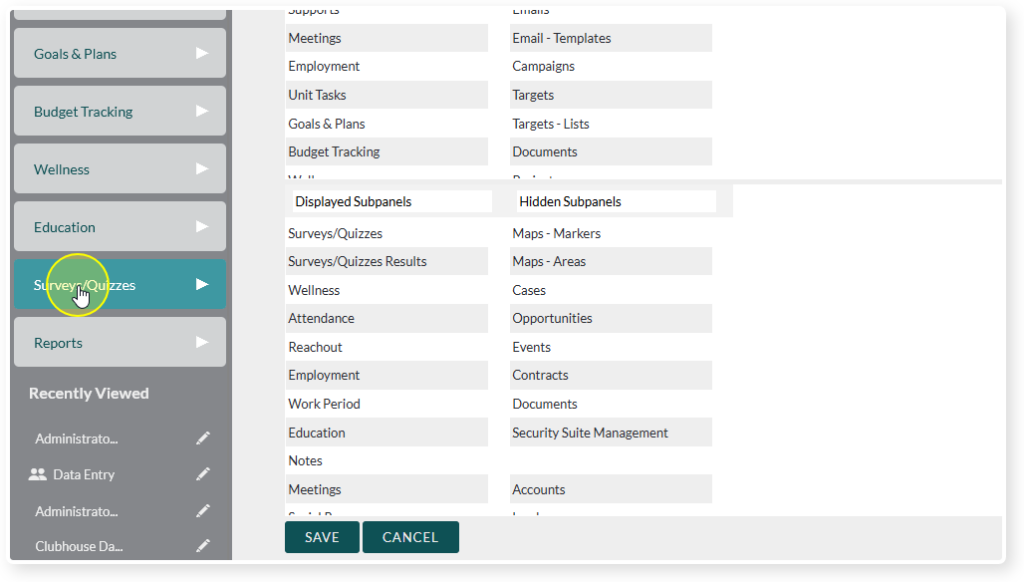
You should now see the module on the side.
If it doesn’t appear please submit a ticket to the Flourish Support Team.