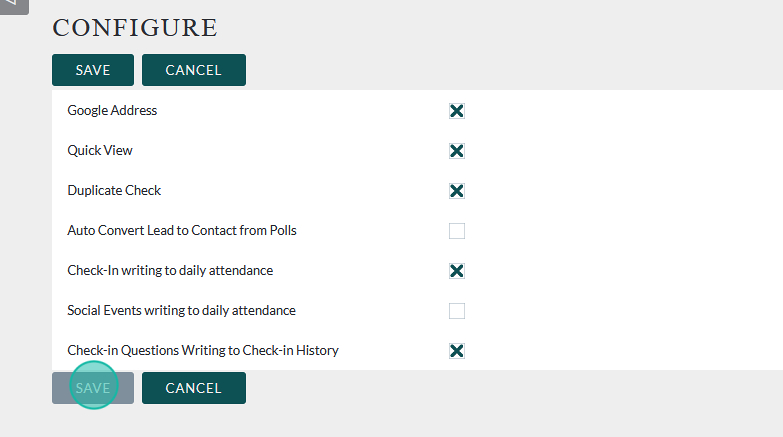
This tutorial will show you how to enable and disable specific features in Flourish. Currently features that can be modified are:
- Google Address
- This determines whether Address Fields pull from Google Maps or are full manual entry
- Quick View
- This adds/removes a summary card with limited details about a Contact appears next to their name in List view
- Duplicate Check
- The system checks for duplicates before adding a new Contact. Disabling is not recommended.
- Check-In writing to Daily Attendance
- This turns off the check in module creating attendance records from live check in/out actions
- Social Events writing to Daily Attendance
- This turns on/off the Social Rec module’s ability to add/edit Attendance Records
- Read more about how the Social Rec Module works here for more information: https://clubhousedata.org/docs/how-the-social-rec-module-works/
- Check-In Questions Writing to Check-In History
- This determines whether the user generated Check In/Out questions write to the Check In/Out log.
- Turning this feature off may make it more difficult to see the results of these questions.
- Create a Visitor (Check-In Screen)
- This adds/removes a button from the Check-In screen that allows you to create a visitor record from that screen.
- Warning: Use this feature with care, as it may lead to duplicate records if not careful.
Navigation #
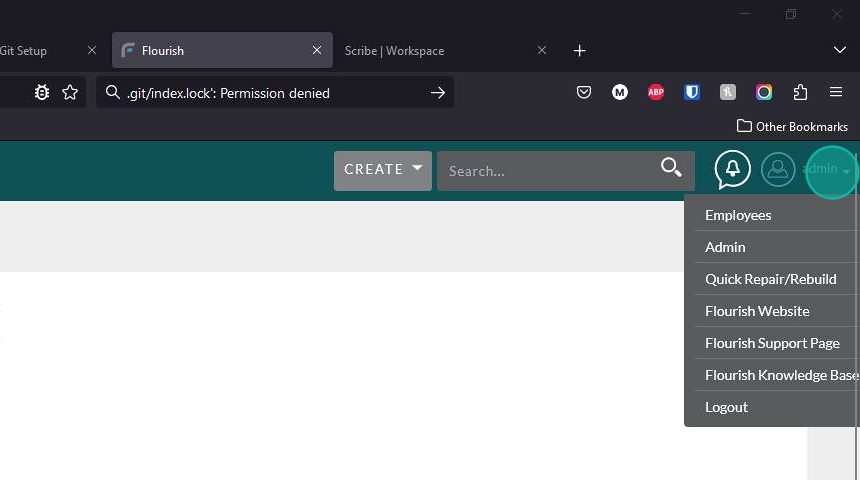
Expand the menu under your username
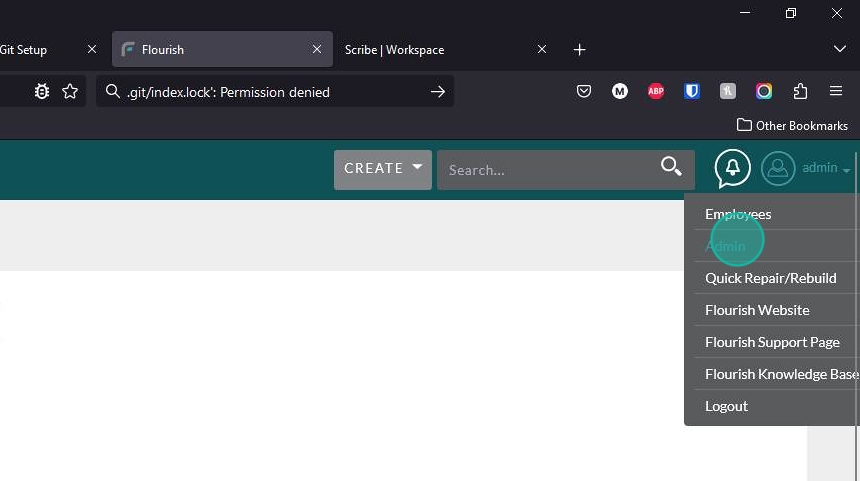
Select “Admin”
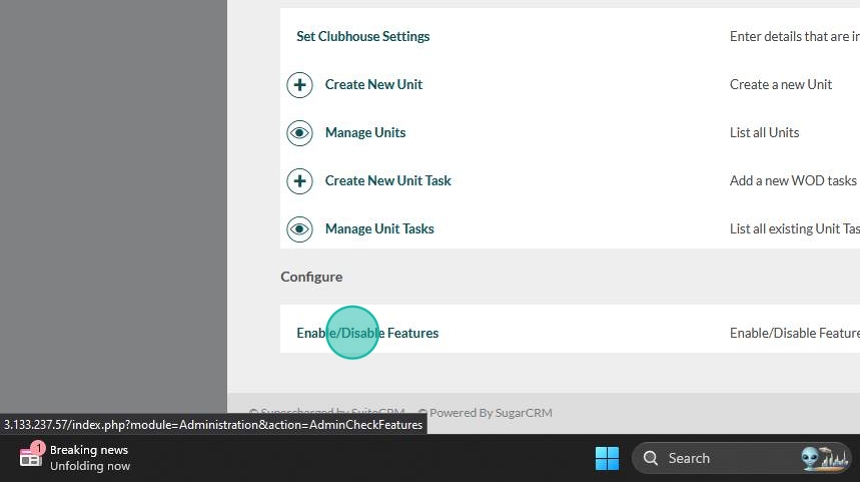
In the Admin panel, scroll all the way to the bottom and click on “Enable/Disable Features”
Enabling/Disabling Features #
Select the feature you would like to enable or disable


Click “SAVE” to put the changes into effect